
My Garage
My Account
Cart
This part fits
2021 Jeep Gladiator
Check another vehicle- Fitting Vehicle Options: 98 - CREW CAB W.B.9, J - JEEP
Mopar 4672768AE Parking Assist Module
2020-2025 Jeep Gladiator 4672768AE
Customer Questions & Expert Answers (2)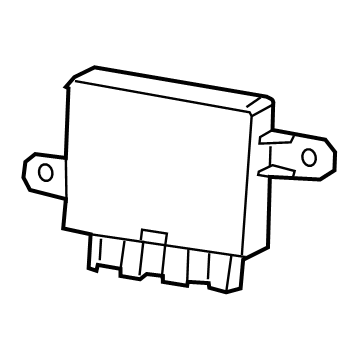
- Part DescriptionModule-Parking Assist
- [XAA]
- Replaces
- ManufacturerMopar
This part fits
2021 Jeep Gladiator
Check another vehicle- Fitting Vehicle Options: 98 - CREW CAB W.B.9, J - JEEP
$85.39 MSRP: $129.00
You Save: $43.61 (34%)
1
- Related Parts
- Specifications
- Q&A
Product Specifications
Brand Genuine Mopar Manufacturer Part Number 4672768AE Part Description Module-Parking Assist Other Names Control Module Condition New Replaces 4672768AD, 4672768AC Manufacturer Mopar SKU 4672768AE Warranty This genuine Mopar part is guaranteed by Mopar's factory warranty. Shipping & Return Shipping Policy Return Policy Warning: California's Proposition 65Customer Questions & Expert Answers
- Q:Is this part guaranteed to fit my truck ? Posted by MoparPartsGiant Specialist
- A:You can Select Your Vehicle to check if 4672768AE fits your vehicle.Posted by MoparPartsGiant Specialist
- Installation and Repair Tips by AI Expert
- Removal steps 1. Park on a level surface, engage the parking brake, wear eye protection and gloves, and block the wheels. 2. If access requires lifting the vehicle, support it on properly rated jack stands before working underneath. 3. Disconnect the negative battery terminal and wait a few minutes to remove power from the vehicle electrical system. 4. Locate the sensor mounting area (commonly in the bumper or bumper reinforcement) and remove any trim, splash shields, or fasteners that block access - designs vary. 5. Follow the sensor harness to its electrical connector, depress the locking tab or clip, and unplug the connector; inspect the connector for corrosion or damage. 6. Release the sensor from its retainer - this commonly involves pressing a clip, twisting the sensor, or removing fasteners; do not pry on the sensor face. 7. Remove the sensor from the vehicle, keeping seals, grommets, or mounting cups together for reference. 8. Inspect the mounting opening, wiring, and harness for damage and clean mating surfaces; replace any worn O-rings or seals before installation. Installation steps 1. Confirm replacement sensor matches the original and that the connector and mounting features are correct. 2. Install new or serviced seals, grommets, or retaining hardware into the sensor housing as required. 3. Position the sensor in the mounting hole with the correct orientation (most sensors have a flat or keyed side); seat it until the retaining feature engages. 4. Reconnect the sensor electrical connector until the locking tab clicks; ensure the harness is routed free of pinch points and heat sources. 5. Reinstall any removed trim, splash shields, or fasteners and restore any components removed for access. 6. Reconnect the negative battery terminal. 7. Perform a functional check: power the vehicle systems, observe dash messages, and verify sensors operate during the vehicle's self-test or by slowly approaching an obstacle (use a helper or scan tool if available). 8. If the system reports faults or inconsistent readings, clear codes with a scan tool if appropriate and re-test; inspect connectors and wiring if problems persist. Repair tip: mark sensor orientation before removal and avoid touching or scratching the sensor face - contamination can affect performance.
- Q:
Why choose Mopar Parts Giant
- Dedicated Service
Your complete satisfaction is our #1 goal
- Lowest Prices
Best deals on genuine OE parts from dealerships
- Fast Delivery
Orders are processed and delivered promptly